The key is to move.
Walk to unlock the apps you choose.
MoveKey is a walking-based app-use limiter for Android closed beta testing.
Choose distracting apps, set a daily step goal, then earn app access by walking. Use Progressive Unlock for earned time during the day, or Full Lock to wait until you reach the goal.
Android beta is being prepared. Beta access details will be shared with invited testers.
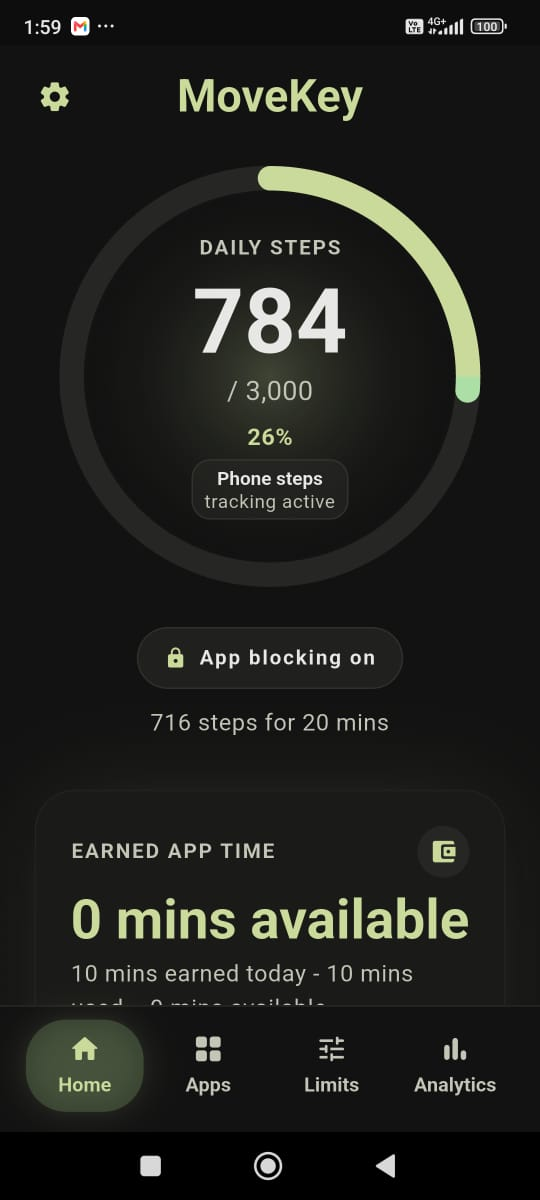
Steps become the key.
Choose distracting apps
Pick the Android apps you want MoveKey to pause.
Set your goal
Choose a daily step goal that works for you.
Earn app time
Walk to earn time for your selected apps.
How MoveKey works
Set it up your way.
Pick your apps, choose a step goal, and let your steps do the rest.
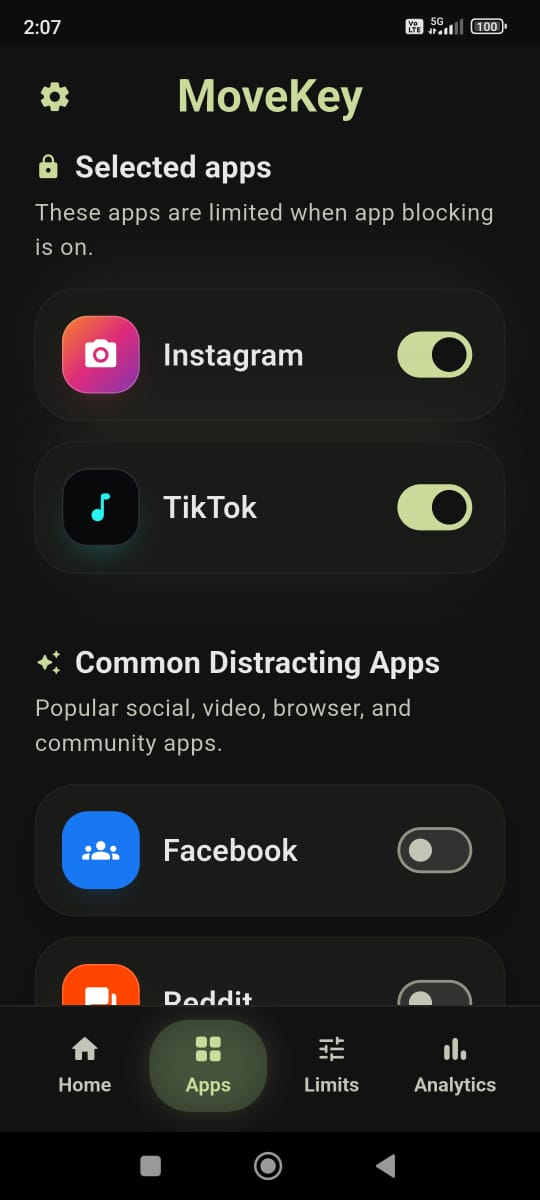
Step 1
Choose distracting apps
Choose the Android apps you want MoveKey to pause.
Step 2
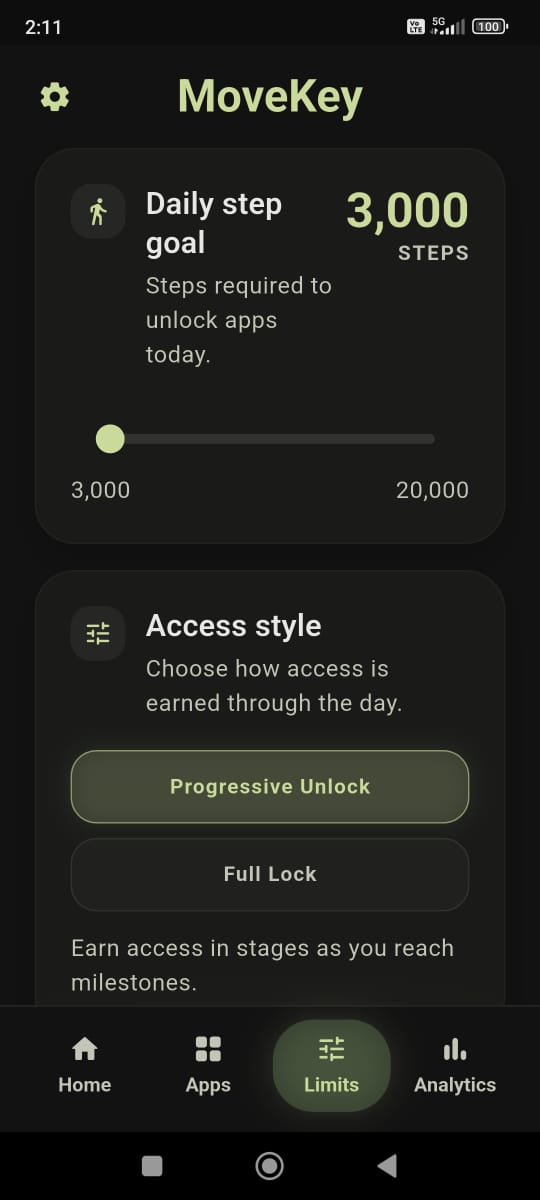
Set your goal
Choose your daily step goal and how you want to earn app time.
Then get moving
Move, then come back when you're ready.
Step 3
Every step counts.
Your phone tracks your steps and shows how close you are to earning app time.
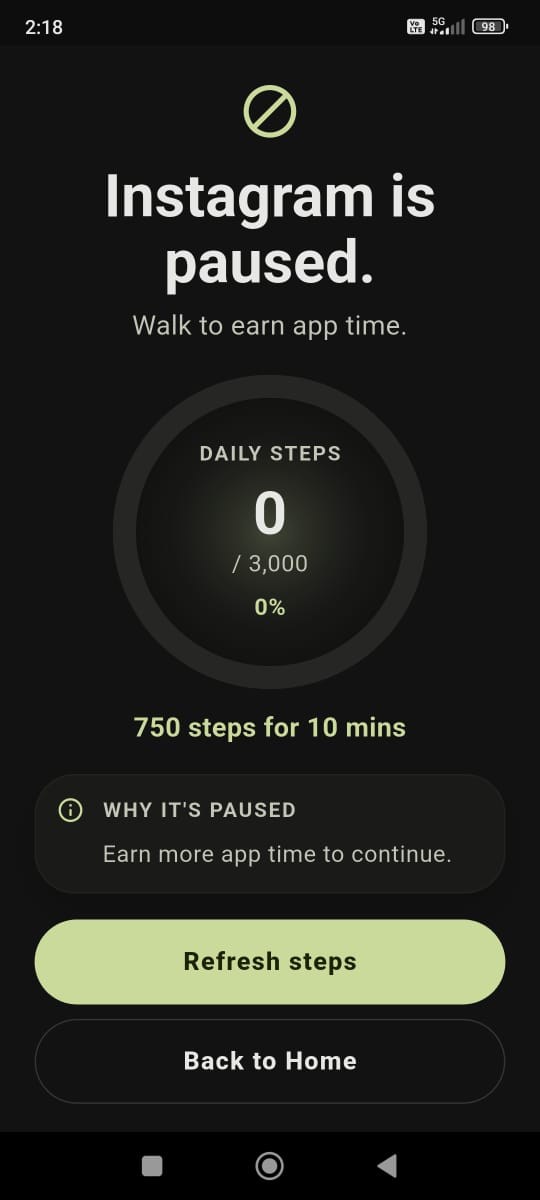
Step 4
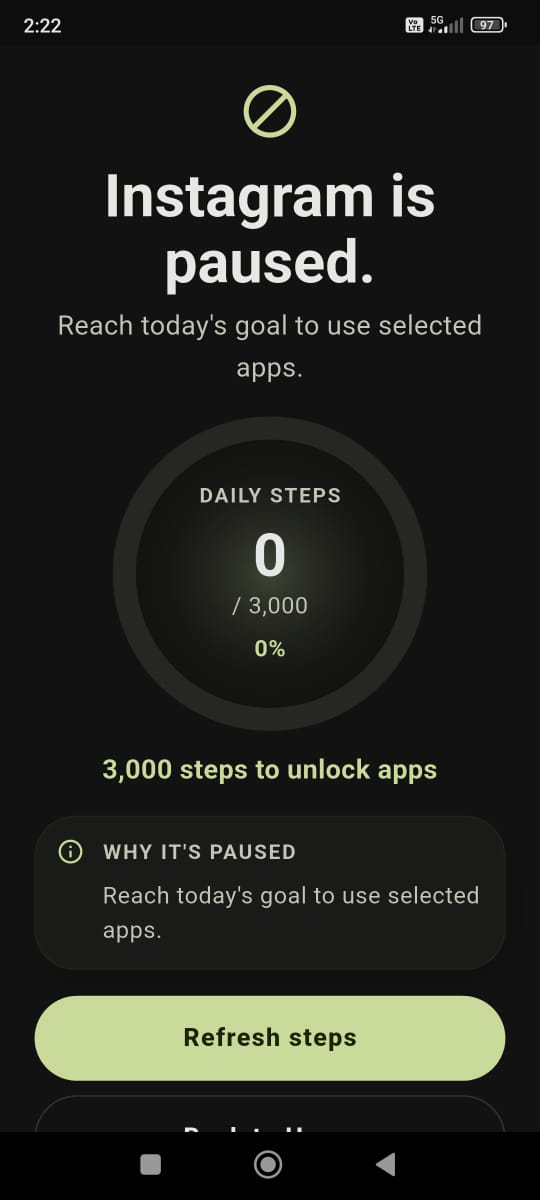
When an app is paused
Walk a little more, refresh your steps, or head back home.
Unlock styles
Choose what works for you.
Both options help you build more movement into your day - just in different ways.
Progressive Unlock
Earn app time as you move.
Your steps unlock app time through the day.
Full Lock
Unlock your apps when you reach your goal.
Selected apps stay paused until you reach your daily step goal.
Android permissions
Clear about what MoveKey needs.
Closed beta testers and reviewers should know why each Android permission appears during setup.
Step tracking
MoveKey uses phone step tracking first. Health Connect can be added for supported smartwatch or health-app steps.
Accessibility
Accessibility is used for app blocking: it helps MoveKey notice when a selected app opens and show the pause screen. It is not used to read messages, passwords, or private app content.
Usage Access and notifications
Android Usage Access and notifications support selected-app detection, reminders, and clear status while app blocking is active.
Why MoveKey
A better reason to get moving.
MoveKey gives you a small nudge before you open selected apps. You choose the apps, the goal, and how access works.
- You choose the apps.
- You choose the goal.
- You choose when app blocking is on.
- Movement comes first.
Built for real life
Need a little flexibility?
MoveKey gives you a manual pause for banking and optional help to keep app blocking running.
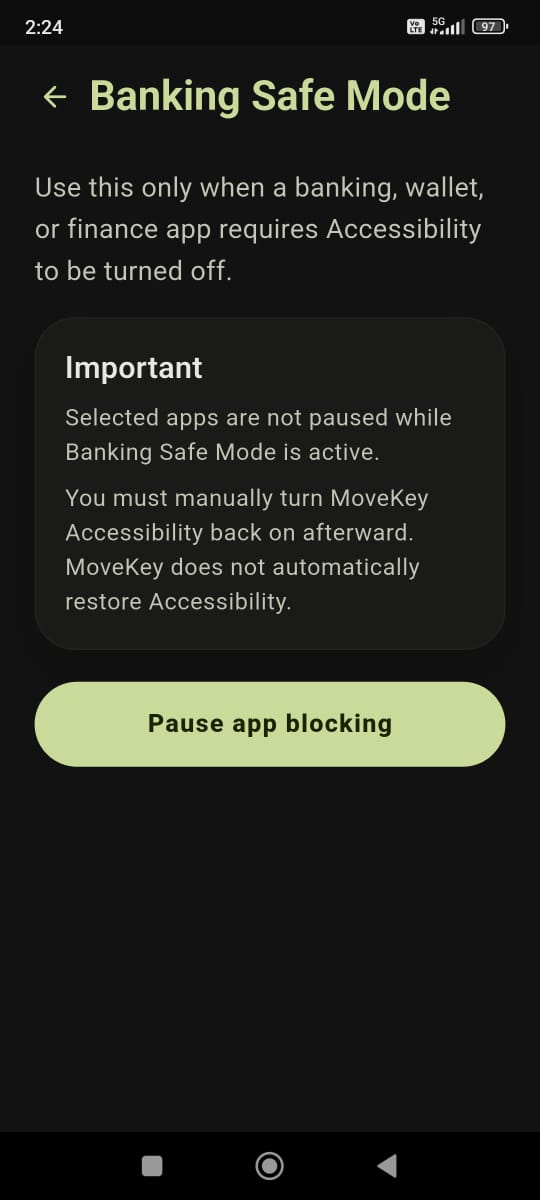
Banking Safe Mode
Need your banking app?
Pause app blocking when you need to. Turn it back on when you're done.
Banking Safe Mode is a manual pause, so you'll need to turn app blocking back on afterwards.
Help MoveKey stay on
Help MoveKey stay on.
Some phones close apps in the background. MoveKey shows optional settings that can help app blocking keep running.
Not every phone needs these settings.
Closed Android beta
Beta access is invite-only while we prepare review.
MoveKey is not publicly available in the Play Store yet.
Beta access details will be shared with invited testers. This website does not collect beta signups or publish a public support mailbox yet.
- Closed beta access details will be shared with invited Android testers.
- Reviewer and tester notes should explain the required Android permissions before beta review.
- Feedback and support instructions will be provided with beta invites.
FAQ
A few quick answers.
Here are a few things people often ask about MoveKey.
The closed Android beta is being prepared. Beta access details will be shared with invited testers, and there is no public signup form right now.